Prewrite – a visual online screenplay writing app
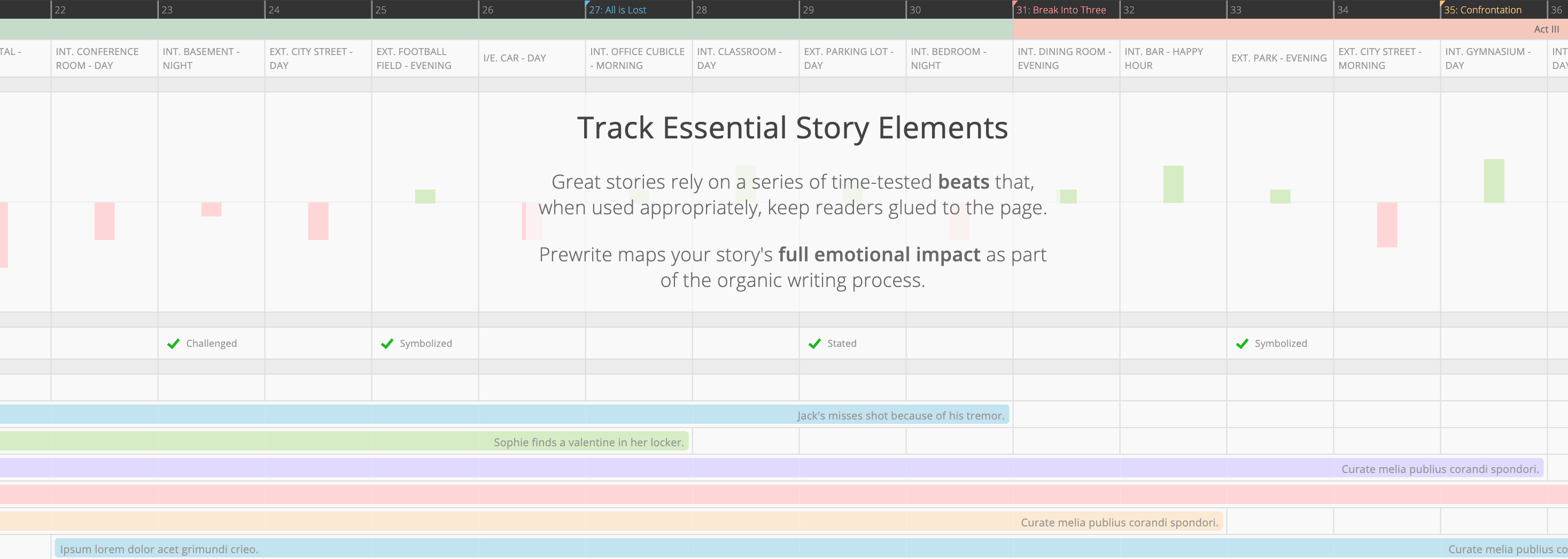
Prewrite is a cloud ‑based story‑writing platform initially designed for screenwriters but now used across formats such as novels, podcasts, and brand storytelling. Its standout features include visual story‑building with timelines, cards, and emotional tracking. The platform offers templates and examples of popular stories that you can replicate and edit. Higher‑tier plans add import and export support for formats like Final Draft and PDF, along with collaboration tools.
Key Features and Capabilities
Visual Story Architecture – Prewrite lets you map characters, scenes, arcs, and emotional beats on a canvas rather than only in linear text. This helps writers work on structure and high‑level design rather than just writing straight prose. Many users praise the ability to see how parts interconnect.
Templates & Story Library – A library of story templates and a copy‑and‑edit approach allow you to start with a known structure instead of a blank page.
Import/Export and Collaboration – Paid plans offer unlimited stories, script import from Final Draft or PDF, and collaboration features like sharing and roles for team accounts.
Cloud‑Only – Prewrite is browser‑based and requires an internet connection. There is a desktop wrapper via WebCatalog, but no dedicated offline mode.
Pricing
As of 2025, Prewrite has a free tier with a one‑story limit and access to core features. Premium plans provide unlimited stories and additional import/export options, with pricing around $14.99 per month based on past data. Pro and Team tiers include advanced collaboration and user management features.
Strengths
- Strong for visual story structuring and high‑level design of scenes, arcs, and beats.
- Templates and interface support non‑linear and visual workflows.
- Cloud access and collaboration make it suitable for teams or remote work.
- Positive user ratings on review sites like Capterra (around 4.5/5).
Weaknesses / Limitations
- Pricing is relatively high compared with some competitors.
- No offline mode, which can be limiting if you need to work without an internet connection.
- Pure writing/editing features and export formats like EPUB or full screenplay formatting may be less robust than those in dedicated tools.
- Mobile experience is not as strong, and some users desire a dedicated mobile app.
When to Use Prewrite
Prewrite excels for structured narratives where visual planning is central — novels, screenplays, and story‑driven projects. It helps map out characters, scenes, and arcs, making it a good choice if you value seeing your story visually. For projects that are primarily prose or require extensive formatting and export options (such as nonfiction books or publishing‑ready e‑books), you may need additional tools alongside Prewrite.
Verdict
Prewrite is a cloud-based story-writing platform initially designed for screenwriters but now used across formats such as novels, podcasts, and brand storytelling. Its standout features include visual story-building with timelines, cards, and emotional tracking. The platform offers templates and examples of popular stories that you can replicate and edit. Higher-tier plans add import and export support for formats like Final Draft and PDF, along with collaboration tools.